---
title: "Authentication"
description: "API tokens and the Authorization header."
canonical: "https://developers.fnlb.net/docs/authenticating"
markdown: "/docs/authenticating.md"
---
> ## Documentation Index
> Fetch the complete documentation index at: https://developers.fnlb.net/llms.txt
> Use this file to discover all available pages before exploring further.
# Authentication
Every protected route needs an `Authorization` header. The API accepts three kinds of token. A route's page in the [API reference](/api.md) lists which kinds it accepts.
| Token | Starts with | Use it when |
| :--- | :--- | :--- |
| API token | `FNLB_` | Your own bots and account, from a server you control. |
| OAuth2 access token | `FNLBOA2AT_` | A user approved your [application](/docs/developer-portal.md#create-an-application). |
| Session | neither prefix | You are signed in here. **Try request** on a reference page sends it for you. |
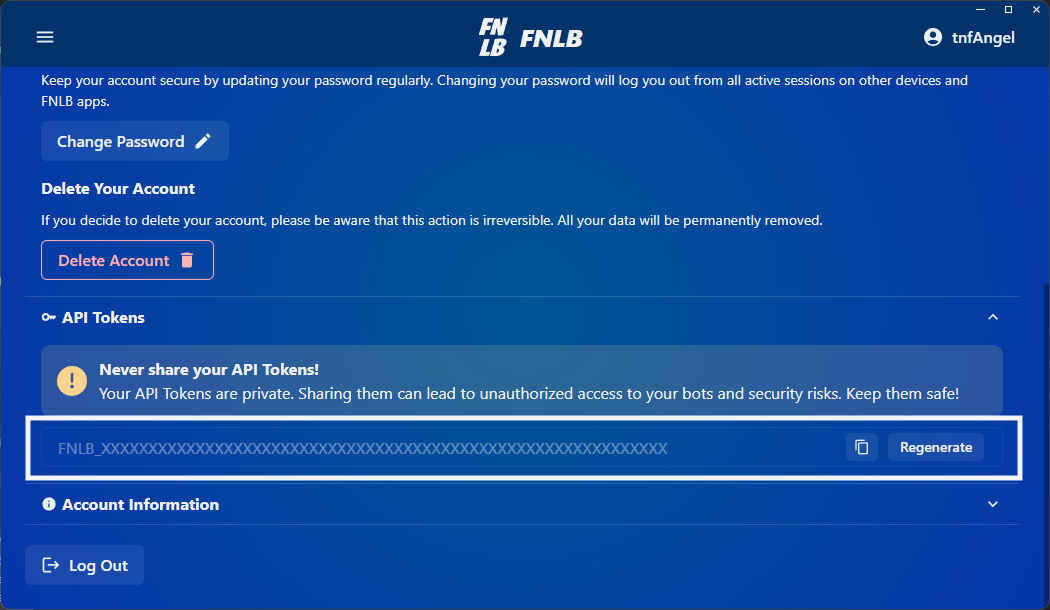
Create an API token from the FNLB app or the web dashboard at [app.fnlb.net/account](https://app.fnlb.net/account). Create an OAuth2 client from [Applications](/).
## Where each token works
| | API `api.fnlb.net/v1` | Gateway `gateway.fnlb.net/v1` | SDK `token` / `apiToken` |
| :--- | :--- | :--- | :--- |
| API token `FNLB_` | Routes that list API token | Only if the account has developer access | Yes |
| OAuth2 `FNLBOA2AT_` | Routes that list that scope | Needs `bots.read` | Needs `bots.run`, `categories.read`, and `bots.read` |
| Session | **Try request** while you are signed in | Not accepted | No |
The gateway always wants your account id in `FNLB_BUCKET_ID`. Read it from [GET /user](/api?method=GET&path=/user). The [REST interface](/gateway/rest-interface#authentication) shows the query on a real URL.
## Header
Send the token as a bearer credential. The `Bearer` prefix is optional. The API strips it when it is present.
```http
Authorization: Bearer FNLB_YOUR_API_TOKEN
```
Keep API tokens and client secrets on a server. A token in a browser, a mobile app, or a public repository can be copied, and it can act as you until you revoke it.
## Example
This lists the bots on the account that owns the token. The same call is [GET /bots](/api?method=GET&path=/bots) in the reference, where you can run it against your own account.
```bash
curl https://api.fnlb.net/v1/bots \
-H "Authorization: Bearer FNLB_YOUR_API_TOKEN"
```
A successful response is a JSON array of bot objects. A failed response is JSON too:
```json
{
"type": "error",
"errors": [
{
"message": "Invalid token provided.",
"type": "general",
"errorCode": "net.fnlb.errors.auth.invalid_token"
}
]
}
```
`errorCode` stays stable. Match on that, not on `message`.
## Common errors
| Code | Meaning |
| :--- | :--- |
| `net.fnlb.errors.common.invalid_request` | The path, query, or body does not match the route. |
| `net.fnlb.errors.common.rate_limit_exceeded` | This IP hit the limit for this route. See [Rate limits](/docs/rate-limits.md#api). |
| `net.fnlb.errors.common.limit_exceeded` | An account limit was reached, such as how many bots you can create. |
| `net.fnlb.errors.common.maintenance_mode` | The API is in maintenance. Retry later. |
| `net.fnlb.errors.auth.invalid_token` | The token could not be read, or it was revoked. |
| `net.fnlb.errors.auth.invalid_api_token` | The value is not an active API token. |
| `net.fnlb.errors.auth.unauthorized` | The route required a token and did not get a valid one. |
| `net.fnlb.errors.auth.forbidden` | The token is valid, but it is missing a scope or a permission. |
| `net.fnlb.errors.auth.user_banned` | The account cannot call the API. |
HTTP status follows the same pattern as the reference: `400` for a bad request, `401` for a rejected token, `403` when the token cannot do this, `429` when the route was called too often.
## Next
Open a route and try it with the account you are signed in as.
Get an access token for someone else's account.